
iCignalSDK 2.4.5
- By
- Polared
English
한국어


Intro
Well, I know nobody will actually read this. But, to be a good developer I'm writing this document.
This is a SDK (a.k.a Software Development Kit), which means you can build your own application with this kit much more simpler way. So, this is just a tool for you to build something of your own.
This SDK will make you less painful when you play around IoT devices.
But this SDK will only work fully with the server that controls contents and rules. The first thing SDK does when it's started is asking to server about how this SDK will react on IoT devices. Such as 'should SDK scan iBeacon?' or 'How long interval for sending logs?'. So, without the server it's not that very useful. Well, almost nothing will work but debugging stuffs.
So, go to iCIGNAL and get an API key.
Features
Simple to use
Drag and drop, the install is done. No dependency or build setting problems. As long as you meet the requirements, you are good to go. The methods you mostly use are less than 10. Actually all public methods are less than 100 including getter/setter and debugging utils.
What you need to do is, design how and what your app will do when they got pre-defined tasks.
Well-structured
It's a little bit bigger than other kits, but it's well-structured. What you can get it from? Not so much. Except if there is some critical bug hidden somewhere, we could fix it faster, easier. This promises you long-term care and more experiments to be additional features.
Queue based
Do you realize what will be happened if you just started from scratch? All the IoT devices will broadcast their signals toward you and you will end up with full of thread related issues. Of course, we believe that you can build something awesome even alone. But, we did all the messy jobs for you. Why would you do it all from the beginning?
The signals from the devices will be collected and tasks will be queued to be executed by you. You just tell SDK your job is done, then SDK will give you next one.
Improved battery life
All the actions consume energy. As mobile application developer as us, we call it battery. And we all know it's very precious.
When we first started this project, battery drain was not in our mind. But, think of it tones of signals and processing? We really need to manage it for real world use.
We simplified the processes and tried hard not to use any unnecessary resources. Instead of scanning full time, SDK will take pause whenever it's possible.
Flexible rules and contents as well as configurations
Whether you designed your app well or not, you don't have to re-deploy to change the contents or trigger points. Even more, you can just stop monitoring certain IoT signals or change the collecting behavior of SDK. You can do it with the web based manager.
Easy debugging
We provide multi-level debug message with console, file, and screen. You can see what you can't see usually via debugging messages. We know that it's much harder to figure out what's wrong when it's invisible like your signals. Now, you can see your signals and correct your source code or sensor setting.
Everything can be a Beacon
Currently, we are covering 3 different signals. Of course, it's just beginning. The experiments keep going.
iBeacon
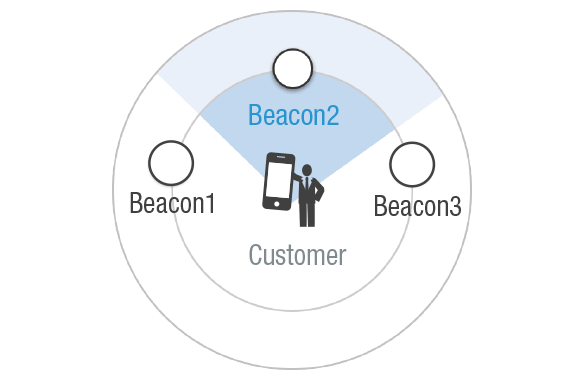
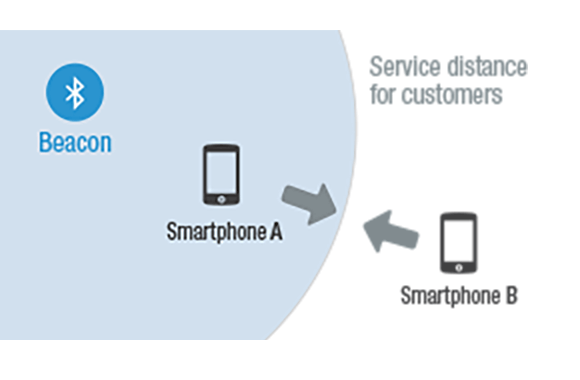
iBeacon is BLE(Bluetooth low energy a.k.a bluetooth 4.0) broadcast protocol invented by Apple. This protocol includes the identifier and its proximity. In other words, you can tell when the people get near a specific spot such as your product to advertise. It was very exciting news for the marketing scene but its possibility is much bigger.
Geo-fencing
Then we should think about why iBeacon became the key to contextual delivers? Because even now days, we can't know where exactly you are. Especially, when you are in the buildings. But, when you are not in the buildings we can track you with reasonable high accuracy even when you forgot to turn your bluetooth on.
You can set the virtual boundaries on the geographical region. Whenever people cross the boundaries, they will get your pre-defined tasks.
WiFi
If you know which WiFi AP near by, you can determine where they are. In iOS, you can scan the WiFi only via private frameworks which means Apple will not allow you to submit your app to App Store. But you can see when they actually connect to the WiFi. It's less magical but it still gives you the same context.
And more...
Yes, many more will come...
Limitations
- Almost all the cases, you will need to turn your Location Service on.
- The application need Background Mode for location in your project.
- iBeacons require Bluetooth turned on to work.
- Geo-fencing will provide more accuracy location if the WiFi turned on.
- WiFi connection detecting can't wake your app. But indirectly, it can be wake your app with delayed time.
- If user terminated your app, SDK will still wake your app but only after user turned on your app or, user gets in another boundary or, got out of the boundary and re-entered.
- Without Apple M7 chip (or above), battery saving can be reduced.
- Without the permission of motion activity, battery saving can be reduced.
Requirements
There are two kind of requirements to consider. A development environment for you, and the runtime environment for the users.
Development environment
- Xcode 9 or above
Runtime environment
- Linking (Build and run without issues, may not work as expected)
- Any device.
- iOS 8 or above.
Installation
Just drag & drop, it's almost done.

If your deployment version is 8.0, then you can use dynamic framework. (Drag & drop
/Dynamic/iCignalSDK.frameworkfile)
When you submit your app to the App Store, you need one more step for it, because of a bug from Apple.
Create a newRun Script Phasein your app’s target’sBuild Phases. And add the following code.
bash "${BUILT_PRODUCTS_DIR}/${FRAMEWORKS_FOLDER_PATH}/iCignalSDK.framework/strip-archs.sh"
Linking Frameworks and Libraries

Modules Enabled
If you made your project as Enable Modules (C and Objective-C) enabled in Build Settings then you can use frameworks like @import UIKit;.
Exceptions
And of course, you can use iCiganlSDK like @import iCignalSDK;. But there are two frameworks you need to manually add. JavaScriptCore and/or sqlite3.
Required
We couldn't find cleaner way to use sqlite3 in our framework yet(you know the dependency and things..). It's bothersome but you need to add libsqlite3.tbd.
And don't forget that the linking should be Optional.
Modules Disabled?
You need to add following frameworks manually.
iCignalSDK.framework
Foundation.framework
UIKit.framework
CoreBluetooth.framework
CoreLocation.framework
CoreMotion.framework
MapKit.framework
JavaScriptCore.framework
Security.framework
SystemConfiguration.framework
MobileCoreServices.framework
libsqlite3.dylib
MessageUI.framework
Twitter.framework
QuartzCore.framework
Accelerate.framework
Or... just use cocoapods
If you don't know hot to use cocoapods, please visit here.
Dynamic framework (iOS 8 above)
It's simple. add
pod 'iCignalSDK'
in your Podfile. And
pod install
In your code, you can import as #import <iCignalSDK/iCignalSDK.h> or @import iCignalSDK;.
Plist configuration
Most of configurations for your app is in Info.plist. And there are things for the SDK too.
Background modes
To make this SDK executes properly in background, you need to assign UIBackgroundModes key in your app's Info.plist file.

<key>UIBackgroundModes</key>
<array>
  <string>fetch</string>
  <string>location</string>
  <string>remote-notification</string>
</array>
The other options are optional, but location is crucial for background execution.
If no UIBackgroundModes key assigned, your app can't be executed over 180 seconds in background.
Custom scheme
To handle requests from URL, you need to specify your custom scheme in Info.plist file of your app.
The scheme can be created using API key like icignal-yourAPIkey.

<key>CFBundleURLTypes</key>
<array>
  <dict>
    <key>CFBundleTypeRole</key>
    <string>Editor</string>
    <key>CFBundleURLSchemes</key>
    <array>
      <string>icignal-53e18abc0cf29fcb62a82312</string>
    </array>
  </dict>
</array>
iCignal Configuration
There are many options and configs you may need. It's all in the plist file, so no need of coding.
All the Keys are defined in ICCommon.h header file.

| Key | Value | Description |
|---|---|---|
| iCignal API Key | String | The key you got from iCIGNAL. If it's wrong or empty then SDK will not work. |
| iCignal Debug Level | Integer | Debugging level. (0 : Off, 1 : Error, 2 : Warning, 3 : Info, 4 : Debug, 5 : Verbose) You must set this 0 before you deploy. |
| iCignal Debug on Console | Boolean | If YES the debugging log will be presented on Xcode console. |
| iCignal Debug on File | Boolean | If YES the debugging log will be created as files in your app's Documents directory. |
| iCignal Debug on Screen | Boolean | If YES the debugging log can be presented on your app screen with [iCignalManager showOrHideLogWindow] method. |
| iCignal Log Enable Battery | String | If YES the battery usage will be collected. |
| iCignal Network URL - Base URL | String | The server's URL. Check if you set this correctly before you deploy |
| all the other paths... | String | You can set these paths as you want for debugging purpose, or other usages. |
<key>iCignal Configuration</key>
<dict>
  <key>iCignal API Key</key>
  <string>53e18abc0cf29fcb62a82312</string>
  <key>iCignal Debug Level</key>
  <integer>5</integer>
  <key>iCignal Debug on Console</key>
  <true/>
  <key>iCignal Debug on File</key>
  <true/>
  <key>iCignal Debug on Screen</key>
  <true/>
  <key>iCignal Log Enable Battery</key>
  <true/>
  <key>iCignal Network URL - Base URL</key>
  <string>http://devcloud.icignal.com</string>
  <key>iCignal Network URL - Get Beacon Workflow rules</key>
  <string>beacon/mbl/getWFRule.do</string>
  <key>iCignal Network URL - Get Direct Message</key>
  <string>beacon/mbl/getDirectMsg.do</string>
  <key>iCignal Network URL - Get Location Workflow rules</key>
  <string>beacon/mbl/getWFLocationRule.do</string>
  <key>iCignal Network URL - Get Preferences</key>
  <string>beacon/mbl/getPreferences.do</string>
  <key>iCignal Network URL - Get Task Info</key>
  <string>beacon/mbl/getTask.do</string>
  <key>iCignal Network URL - Get WiFi Workflow rules</key>
  <string>beacon/mbl/getWFWifiRule.do</string>
  <key>iCignal Network URL - Update Workflow rule</key>
  <string>beacon/mbl/getUpdateWFRule.do</string>
  <key>iCignal Network URL - Upload Logs</key>
  <string>beacon/mbl/traceLog.do</string>
</dict>
NSLocationUsageDescription (Optional)
Describes the reason why the app accesses the user’s location information.
When the system prompts the user to allow access, this string is displayed as part of the alert panel.
Ignored in iOS 8 and later.
<key>NSLocationUsageDescription</key>
<string> *DESCRIPTION* </string>
NSLocationAlwaysUsageDescription / NSLocationWhenInUseUsageDescription (iOS 8)
From iOS 8, all the apps using location service need to explain how/why they use location of users. It is mandatory, not optional.
You can set both, or one of two. The user can choose from what you set. Which means what you didn't set won't show.
<key>NSLocationAlwaysUsageDescription</key>
<string> *DESCRIPTION* </string>
<key>NSLocationWhenInUseUsageDescription</key>
<string> *DESCRIPTION* </string>
Reference : Document / Video (WWDC 2014-706) / Video (WWDC 2014-715)
NSLocationAlwaysAndWhenInUseUsageDescription (iOS 11)
From iOS 11, all the apps using location service need to explain how/why they use location of users. It is mandatory, not optional.
<key>NSLocationAlwaysAndWhenInUseUsageDescription</key>
<string> *DESCRIPTION* </string>
App Transport Security (iOS 9)
From iOS 9, Apple prevented HTTP connections. But we may need to connect, and NSAppTransportSecurity will describe your app's exceptions.
Setting NSAllowsArbitraryLoads as false will make ATS disabled. (It's useful only when you can't decide which URL you would get)
<key>NSAppTransportSecurity</key>
<dict>
  <key>NSExceptionDomains</key>
  <dict>
    <key>icignal.com</key>
    <dict>
      <key>NSIncludesSubdomains</key>
      <true/>
      <key>NSTemporaryExceptionAllowsInsecureHTTPLoads</key>
      <true/>
      <key>NSTemporaryExceptionRequiresForwardSecrecy</key>
      <false/>
      <key>NSTemporaryExceptionMinimumTLSVersion</key>
      <string>TLSv1.2</string>
    </dict>
  </dict>
</dict>
Reference : Document / Video (WWDC 2015-711)
NSMotionUsageDescription (iOS 10)
From iOS 10, even more limitation of accessing private data, and you need to describe why you need it. It is mandatory, not optional.
This property describes why we need the motion activity data. We need it to avoid the battery drain when the user is not moving.
If this is not set, then we only use the accelerator.
<key>NSMotionUsageDescription</key>
<string> *DESCRIPTION* </string>
Reference : Document / Video (WWDC 2016-709)
Swift supporting
In most of cases, you don't need anything. Just import iCignalSDK then it will work.
But if it's not working, you can try Bridging Header. Most simply way to make this is adding dummy Objective-C file in your project. Xcode will ask if you will configure bridging header.
YES! and add #import <iCignalSDK/iCignalSDK.h> in yourProjectName-Bridging-Header.h. Then you are good to go.

Usages
Here you can see how to use this SDK.
Implements
Most of time, you will need only few methods to be implemented.
Life cycle methods
The apps have life cycle, how they started and how they paused or backgrounded, and how they terminated. And you need to let the SDK know when and how.
SDK can detect most of events but there are some SDK cannot.
You only need to know one class. iCignalManager.
+ handlingLaunchingWithOptions:
- This method handle launching SDK.
- This method should be called inside of your app's
application:didFinishLaunchingWithOptions:method inAppDelegate. - The
launcingOptionshould be given byAppDelegatein order to wake SDK up correctly. - Return value is
Booleantype which determined if SDK can be enabled.
- (BOOL)application:(UIApplication *)application didFinishLaunchingWithOptions:(NSDictionary *)launchOptions {
    // Override point for customization after application launch.

    if ([iCignalManager handlingLaunchingWithOptions:launchOptions]) {
        [iCignalManager requestNotificationAuthorizationWithDelegate:self];
        [iCignalManager requestLocationAuthorization];
        [iCignalManager requestMotionActivityAuthorization];

        [iCignalManager setDeviceUUID];
        [iCignalManager setDelegate:self];
        [iCignalManager start];
    }
    else {
        NSLog(@"iCignal SDK is not available");
    }

    // Do your stuffs here...

    return YES;
}
+ handlingRemoteNotification:fetchCompletionHandler:
- This method handle remote notifications.
- This method should be called inside of your app's
application:didReceiveRemoteNotification:fetchCompletionHandler:method inAppDelegate. - You should deliver
userInfoandcompletionHandlerto SDK. - Return value is
Booleantype which determined if SDK can handle the push notification.
- (void)application:(UIApplication *)application didReceiveRemoteNotification:(NSDictionary *)userInfo fetchCompletionHandler:(void (^)(UIBackgroundFetchResult))completionHandler
{
    if (![iCignalManager handlingRemoteNotification:userInfo fetchCompletionHandler:completionHandler]) {
        NSLog(@"remote notification received but not for iCignal.");
        // Do your own work here....and call completionHandler with result of your work.

        completionHandler(UIBackgroundFetchResultNoData);
    }
}
+ handlingOpenURL:sourceApplication:annotation:
- This method handle opening URLs.
- This method should be called inside of your app's
application:openURL:sourceApplication:annotation:method inAppDelegate. - Just throw all the parameters to SDK.
- Return value is
Booleantype which determined if SDK can handle the given URL.
- (BOOL)application:(UIApplication *)application openURL:(NSURL *)url sourceApplication:(NSString *)sourceApplication annotation:(id)annotation
{
    return [iCignalManager handlingOpenURL:url sourceApplication:sourceApplication annotation:annotation];
}
+ handlingOpenURL:options: (iOS9 or above)
- This method is replacement for
+ handlingOpenURL:sourceApplication:annotation:which is deprecated after iOS 9. - Same as
+ handlingOpenURL:sourceApplication:annotation:method.
- (BOOL)application:(UIApplication *)application openURL:(nonnull NSURL *)url options:(nonnull NSDictionary<NSString *,id> *)options
{
    return [iCignalManager handlingOpenURL:url options:options];
}
+ handlingPerformFetchWithCompletionHandler:
- This method handle background data fetching from the server.
- This method should be called inside of your app's
application:performFetchWithCompletionHandler:method inAppDelegate. - Optional implement which can fetch rules and improve detection of WiFi.
- (void)application:(UIApplication *)application performFetchWithCompletionHandler:(void (^)(UIBackgroundFetchResult))completionHandler
{
    [iCignalManager handlingPerformFetchWithCompletionHandler:^(UIBackgroundFetchResult resultFromICignal) {
        // Do your things. and get a result...
        UIBackgroundFetchResult yourResult = UIBackgroundFetchResultNoData;

        completionHandler(MIN(resultFromICignal, yourResult));
    }];
}
+ setDelegate:
- You can get events from this delegate.
- Recommended place is in
application:didFinishLaunchingWithOptions:method.
+ requestLocationAuthorization
- This method will ask permission for using location service.
- This method will present an alert only for first time launching.
- On iOS 8 or above device, this method will ask about
AlwaysorWhen in Usewhich described in your plist file respectively.
+ requestNotificationAuthorizationWithDelegate: or + requestNotificationAuthorization
- This method will ask permission for using push notification.
- This method will present an alert only for first time launching.
- On iOS 10 or above device, this method will register
(UNAuthorizationOptionBadge | UNAuthorizationOptionSound | UNAuthorizationOptionAlert)types. Also this method needsdelegateas a parameter which will be deliveredUNUserNotificationCenterDelegateevents. - On iOS 8 or above device, this method will register
(UIUserNotificationTypeBadge | UIUserNotificationTypeAlert | UIUserNotificationTypeSound)types.
+ requestMotionActivityAuthorization
- This method may ask permission for using motion activity.
- This method will present an alert only for first time launching.
- If motion data is not available in the device then, it will do nothing.
- Without this method, the SDK will only use raw datas from the device. (Battery saving could be reduced)
+ start
- At some points, SDK should be started.
- Recommended place is in
application:didFinishLaunchingWithOptions:method.
+ finish
- At some points, SDK need to be stopped.
- Recommended place is in
applicationWillTerminate:method.
- (void)applicationWillTerminate:(UIApplication *)application {
    // Called when the application is about to terminate. Save data if appropriate. See also applicationDidEnterBackground:.

    [iCignalManager finish];
}
+ kill
- You may want SDK not to work at all.
- This method will stop SDK and make it not work never again.
- Only after you called
+ setEnabled:or other ability toggle methods, SDK may work again.
Global task accessor
+ currentTask
- This method returns currently paused ICTask object.
- You can even attach your object to it for later use. (See
-[ICTask setObject:]for more details).
Configuration methods
Configuration methods are all in iCignalManager class, as class method.
Abilities toggle methods
You can selectively set Boolean value to configure which functionalities you want to turn on.
There are two way of setting, you can set default functionalities on the server. And prompt to user as following methods.
The functionality will be enabled only if server and app's configuration both enabled.
+ setEnabled:
- This method will set all the functionalities as enabled/disabled.
+ setBeaconEnabled:
- This method will turn on/off iBeacon functionality.
+ setLocationEnabled:
- This method will turn on/off geo-fencing functionality.
+ setWifiEnabled:
- This method will turn on/off wifi detection functionality.
Network configuration methods
We already provides changeable properties on the server side. Use this methods only for debugging.
+ setBaseUrl:
- This method will let you set base URL of server.
+ setNetworkTimeout:
- This method will let you set how long the network will wait for response from server. (In seconds)
+ setNetworkRetry:
- This method will let you set how many time SDK will retry for a same request.
+ setNetworkRetryInterval:
- This method will let you set how long SDK will wait before each retrying. (In seconds)
User specifying methods
It is more powerful when you know which user get closer to which point.
You could simply know some random people's approaching without any configuration.
But when you simply give SDK specific ID of user, you can personalize the contents or analyze them.
- Device UUID
You need to specify the device along side of user. Because your app may allow to multi user log-in.
And sometimes, you may need to target at devices, not users.
+ setDeviceUUID
- SDK will generate UUID (version 4) string and keep it as the identifier.
- The parameter should be
NSStringspecifying device. - This method only affects when the previous device UUID is different than newly generated one.
+ setDeviceUUID:
- You can set your own UUID which you already using in your app.
- Setting
nilwill remove UUID from the device.
+ removeDeviceUUID
- This method will revoke device UUID from the app.
- Member ID
It's all about recognizing a person of interest. You can even let the SDK know the login status by passing nil.
+ setMemberID:
- The parameter should be
NSStringobject which can specify a user. - There is no auto-generation method, since only you can know this.
- We recommend you to imply this method in both login and logout methods of your app.
- If you set
nilSDK recognize it as logout.
- Push Notification Token
If you are using remote notification or if you want to use some more functionalities from iCignal, you need to pass the token to SDK.
By doing so, you can send notification to the users only in the specific areas or give them scheduled workflows.
+ setPushToken:
- The parameter should be
NSDatatype as you get it from your app's delegate. - Recommended place is in
application:didRegisterForRemoteNotificationsWithDeviceToken:method. - You can pass
nilto unsubscribe.
- (void)application:(UIApplication *)application didRegisterForRemoteNotificationsWithDeviceToken:(NSData *)deviceToken
{
    [iCignalManager setPushToken:deviceToken];
}
Delegate methods
All the events from SDK will be delivered via iCignalManagerDelegate protocol.
The methods are all Optional.
Task delegates
These methods are hearts of your app's workflow. Delivered object is ICTask and you can determine what to do with it.
How well-made and flexible is decided from these methods.
- workflowDidReceiveTask:
- This method will be invoked when there is new task received.
- Most of your work would be inside of this method.
- After you handled the task and ready to execute next task, you must call
completeHandler()function. - If you don't call
completeHandler()function, next task will not be executed. - See
ICTaskclass for more detail.
- workflowDidCancelTask:
- This method will be invoked when the task cancelled by SDK from some reasons.
- In most case, you will dismiss currently displaying UI from the task.
- workflowDidTimeoutTask:
- This method will be invoked when the task cancelled by SDK from timeout.
- The SDK expect next task to be executed or the workflow finished.
WebView delegates
When you use templates from iCignal server, you should handle the WebView.
- webViewShouldOpenURL:withParameters:
- The URL and its parameters will be delivered.
- You need to open your own
WebViewfor the URL, or use included one if you want.
- webViewShouldCloseWithParameters:
- The parameters will be delivered. (Parameters may contain the target WebView's ID or not)
- You need to close the WebView.
Data delegates
We recommend not to imply these methods for performance improvement. Use them only when you need to debug.
- beaconDataWillBeCollected:
- This method will be invoked whenever the beacon data collected.
- The delivered object is
NSDictionaryclass. - The key is identifier of a beacon.
- The value is
NSArraycontainsNSDictionarywhich describes the signal changing. - Keys in dictionary can be changed in future.
- locationDataWillBeCollected:
- This method will be invoked whenever the location data collected.
- The delivered object is
NSArrayclass containsNSDictionary. - Each dictionary has location data.
- Keys in dictionary can be changed in future.
- wifiDataWillBeCollected:
- This method will be invoked whenever the wifi data collected.
- The delivered object is
NSDictionaryclass. - The dictionary contains wifi device informations.
- The signal in dictionary is only
-1or-999now.-1is connected and-999is disconnected. - Keys in dictionary can be changed in future.
Status delegates
You can use these methods to figure out what going on inside of the SDK.
More informations are always better, when you know what to do with it.
- authorizationStatusDidChange:
- Whenever the authorization of location service change, the status will be delivered.
- See
ICLocationAuthorizationStatusfor more details.
- bluetoothDidUpdateStateOn:
- Whenever the bluetooth on and off, the status will be delivered.
- motionActivityDidChange:
- Whenever the motion activity changed, the activity type will be delivered.
- See
ICMotionActivityTypefor more details.
- motionActivityRemaining:asActivityType:
- This method will be invoked if the device stay as same activity type for some specific period.
- Remaining time is in seconds. Also see
ICMotionActivityTypefor the activity type.
- beaconDidStartUpdating
- This method will be invoked whenever SDK started iBeacon updating.
- beaconDidStopUpdating
- This method will be invoked whenever SDK stopped iBeacon updating.
- beaconRangingRegionCountDidChange:
- This method will be invoked whenever updating iBeacon region count changed.
- The count of currently updating iBeacon region will be delivered.
- beaconDidStartAdvertisingWithError:
- This method will be invoked when SDK started advertise iBeacon signal. If NSError exist, it didn't start properly.
- locationDidSuspendUpdating
- This method will be invoked when SDK paused location updating.
- locationDidResumeUpdating
- This method will be invoked when SDK re-started location updating.
- locationDidStartUpdating
- This method will be invoked when SDK started location updating.
- locationDidStopUpdating
- This method will be invoked when SDK stopped location updating.
- locationStayingDurationDidChange:
- This method will be invoked if the device stay as same area for some specific period.
- Remaining time is in seconds.
- locationManualUpdatingDidFinish:withError:
- This method will be invoked if you started manual location updating.
- Even the method failed with an error, if there is cached location then you may find this in userInfo object of NSError.
- wifiDidStartUpdating
- This method will be invoked when SDK started wifi updating.
- wifiDidStopUpdating
- This method will be invoked when SDK stopped wifi updating.
- wifiDidConnectToSSID:andBSSID:
- Whenever the device connect to a Wifi AP, its SSID and BSSID will be delivered.
- wifiDidDisconnectFromSSID:andBSSID:
- Whenever the device disconnect from a Wifi AP, its SSID and BSSID will be delivered.
Error delegates
Most errors will be delivered. Even network or location or more.
See ICError for more details.
- managerDidFailWithError:
NSErrorobject will be delivered.- Some of NSError is not fatal.
For example,kICErrorNoWorkfloworkICErrorConcurrentCallcan be occurred but it's not an error just information.
Settings.bundle configuration
You may want some configs to be changed via Settings.bundle.
There are some pre-defined identifiers which you can add on your Settings.bundle.
These values will overwrite any other value you set in your code.
All the identifiers will be synchronized when the SDK launched.
(If you changed any value while the SDK working, the value will be applied on next launching)
The identifiers can be added in future when it's needed.
All the values will be removed when app is removed.
If you want to know more about Settings.bundle visit here.
ICProperties_APIKey
- This identifier is for setting
API Keyin your plist. - The value of this identifier is
Stringtype.
ICProperties_BaseURL
- This identifier is for setting
Base URLin your plist. - The value of this identifier is
Stringtype.
ICProperties_MemberID
- This identifier is for setting
Member IDin your app. - The value of this identifier is
Stringtype.
ICProperties_UserBeaconFlag
- This identifier is for setting
[iCignalManager setBeaconEnabled:]method in SDK. - The value of this identifier is
Booleantype.
ICProperties_UserGeofenceFlag
- This identifier is for setting
[iCignalManager setLocationEnabled:]method in SDK. - The value of this identifier is
Booleantype.
ICProperties_UserWifiFlag
- This identifier is for setting
[iCignalManager setWifiEnabled:]method in SDK. - The value of this identifier is
Booleantype.
Migration from 1.x to 2.x
Improvements
- The whole structure of SDK has changed. (More modular with control. Scalability)
- Added location(geo-fencing), WiFi functionalities.
- Giving you more informations for debugging.
- No need to check OS version to use the basic functions.
- Improved battery life.
- Improved performance (with reduced CPU usage).
- Improved filters for beacon signal and location.
- Improved stability with background tasks.
- Unified and real world usage demo app.
Requirements : iOS SDK 8+, Xcode 6+
- Xcode 5+ -> 6+
- iOS SDK 7.x+ -> 8.x+
Frameworks linking
<InfavorBeacon/InfavorBeacon.h>-><iCignalSDK/iCignalSDK.h><Twitter/Twitter.h>and<MessageUI/MessageUI.h>have added. forICWebViewController
Plist configuration changed
- All the prefix changed from
Infavor BeacontoiCignal Infavor Beacon Debughas gone. UseiCignal Debug Level. You can set0to OFFInfavor Beacon Network URL - URL of Coupon Detail Viewhas gone.iCignal Network URL - Get WiFi Workflow ruleshas added.Infavor Beacon Network URL - Get Workflow rules->iCignal Network URL - Get Beacon Workflow rules- In
UIBackgroundModesarray,fetchadded.
Class name changed
- Mostly prefix for class changed from
QItoIC - All blocks gone. Use the delegate pattern or notifications.
QIBeaconManager(orBeaconManager) ->iCignalManagerQITask->ICTask
Method name changed
Class methods
+[QIBeaconManager getVersion]->+[iCignalManager sdkVersion]+[QIBeaconManager setPushDeviceToken:]->+[iCignalManager setPushToken:]+[QIBeaconManager setMemberId:]->+[iCignalManager setMemberID:]+[QIBeaconManager setBeaconDetectModeDynamic:]->+[iCignalManager setPausesBeaconAutomatically:]+[QIBeaconManager handlingRemoteNotification:fetchCompletionHandler:]->+[iCignalManager handlingRemoteNotification:fetchCompletionHandler:]- You need to imply how to handle the task in the block.
Instance methods
-[QITask type]->[ICTask taskType]-[QITask parsedUrl]->[ICTask taskURL]-[QITask content]->[ICTask taskContent]-[QITask resumeTaskWithResponse:]->-[ICTask completeHandler()]- ... and so on
Constants and enums changed
ICTaskReadyNotification->iCignalManagerWorkflowDidReceiveTaskNotificationICTaskTimeoutNotification->iCignalManagerWorkflowDidReceiveTaskNotificationICTaskCancelNotification->iCignalManagerWorkflowDidReceiveTaskNotificationQIAuthorizationStatus->ICLocationAuthorizationStatusQIBluetoothState->+[iCignalManager isBluetoothPoweredOn]- ... and so on
UI components
- All class has been changed and replaced.
Issue
Known issues
- When there is too much printing on debug view, it can be freeze.
- On AppStore review,
Metadata Rejectedhappens. Before it happened, put the info inNote.
Workaround : When the reason is0.4.0 BEFORE YOU SUBMIT: INFO NEEDED, you need to provide the needed info.
Information Needed
We began the review of your app but aren't able to continue because we need >additional information about your app. At your earliest convenience, please >review the following questions and provide as much detailed information as you can.
- Does this app detect startMonitoringForRegion:, startRangingBeaconsInRegion:, or both?
- What is the user experience when the app detects the presence of a beacon?
- What features in this app use background location?
- If this app uses 3rd party SDKs for iBeacons, please provide links to their documentation showing that background location is required for it to function.
Please reply to this message in the Resolution Center with the requested information.
The additional informations you may request are below.

- Does this app detect startMonitoringForRegion:, startRangingBeaconsInRegion:, or both?
  > We use both methods.

- What is the user experience when the app detects the presence of a beacon?
  > If the beacon is registered on the server with a specific workflow, app will execute the workflow (predefined types of tasks).

- What features in this app use background location?
  > When the user come around the geometric boundary, it will start updating location for more fine accuracy. And then, execute workflow as above.

- If this app uses 3rd party SDKs for iBeacons, please provide links to their documentation showing that background location is required for it to function.
  > Not only iBeacon, but also Location features are included in SDK. http://www.quintet.co.kr/product/icignal or http://cocoadocs.org/docsets/iCignalSDK
- You may need to put the notice in your app's
Description.
"Continued use of GPS running in the background can dramatically decrease battery life."
Reporting
If there is any problem, report here.
Demo App
Download iCIGNAL Demo App
Or, pod try iCignalSDK.