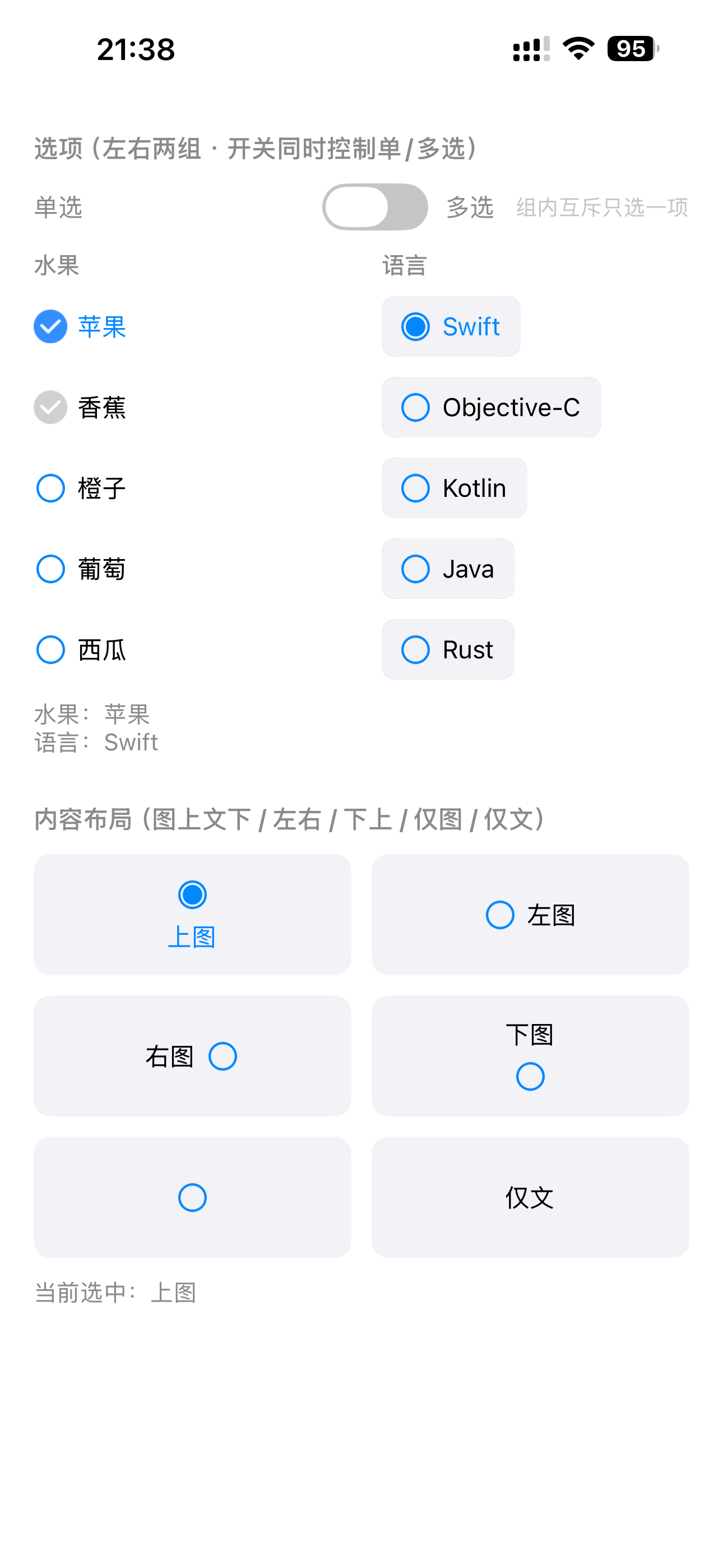
Swift 实现的可定制单选 / 多选按钮(UIButton 子类),支持 Swift / Objective-C 调用。通过 otherButtons 或 linkGroup: 组成互斥组。

- iOS 15.0+
- Swift 5.0+
pod 'ZHHRadioButton', '~> 0.2.0'let apple = ZHHRadioButton(type: .custom)
apple.setTitle("苹果", for: .normal)
apple.setTitleColor(.label, for: .normal)
apple.iconColor = .systemBlue
apple.indicatorColor = .systemBlue
let banana = ZHHRadioButton(type: .custom)
banana.setTitle("香蕉", for: .normal)
banana.setTitleColor(.label, for: .normal)
banana.iconColor = .systemBlue
banana.indicatorColor = .systemBlue
ZHHRadioButton.linkGroup([apple, banana])
apple.isSelected = true
// 多选:自动切为方框
[apple, banana].forEach { $0.isMultipleSelectionEnabled = true }#import <ZHHRadioButton/ZHHRadioButton-Swift.h>
ZHHRadioButton *apple = [ZHHRadioButton buttonWithType:UIButtonTypeCustom];
[apple setTitle:@"苹果" forState:UIControlStateNormal];
apple.iconColor = UIColor.systemBlueColor;
apple.indicatorColor = UIColor.systemBlueColor;
ZHHRadioButton *banana = [ZHHRadioButton buttonWithType:UIButtonTypeCustom];
[banana setTitle:@"香蕉" forState:UIControlStateNormal];
banana.iconColor = UIColor.systemBlueColor;
banana.indicatorColor = UIColor.systemBlueColor;
[ZHHRadioButton linkGroup:@[apple, banana]];
apple.selected = YES;
// 多选(组内同步,并自动方框)
apple.multipleSelectionEnabled = YES;单选默认圆形 SF Symbol(circle / circle.inset.filled);开启 multipleSelectionEnabled 后自动变为方形(square / checkmark.square.fill),关闭多选后恢复原形状。自定义图片请用 iconImage / iconImageSelected(不要依赖 setImage)。
选中时标题色默认跟随 indicatorColor;若调用 setTitleColor(_:for: .selected) 则改用显式颜色。
通过 contentLayout 控制图文排列:
| 值 | 效果 |
|---|---|
leading |
图左文右(默认) |
trailing |
图右文左 |
top |
图上文下 |
bottom |
图下文上 |
imageOnly |
只有图 |
textOnly |
只有文字 |
button.contentLayout = .top
button.iconImage = UIImage(named: "unchecked")
button.iconImageSelected = UIImage(named: "checked")

// 内容内边距(有背景色时常用)
button.contentInsets = NSDirectionalEdgeInsets(top: 6, leading: 10, bottom: 6, trailing: 12)
button.cornerRadius = 8
button.setBackgroundImage(UIImage(color: .secondarySystemBackground), for: .normal)
button.setBackgroundImage(UIImage(color: .tertiarySystemFill), for: .highlighted)| 文件 | 职责 |
|---|---|
ZHHRadioButton.swift |
按钮 UI / Configuration |
ZHHRadioButton+Group.swift |
分组公开 API |
ZHHRadioButtonGroup.swift |
共享互斥组(O(n) 广播) |
ZHHRadioButtonContentLayout.swift |
图文布局枚举 |
cd Example
pod install
open ZHHRadioButton.xcworkspaceMIT,见 LICENSE。