我主良缘分享组件
Requirements:
- iOS 9.0+
- Xcode 10.0+
- Swift 5.0+
Installation Cocoapods
pod 'WZShare', '~> 1.0.0'Share
Example: Share to WeChat (微信):
-
In your Project Target's
Info.plist, setURL Type,LSApplicationQueriesSchemesas follow: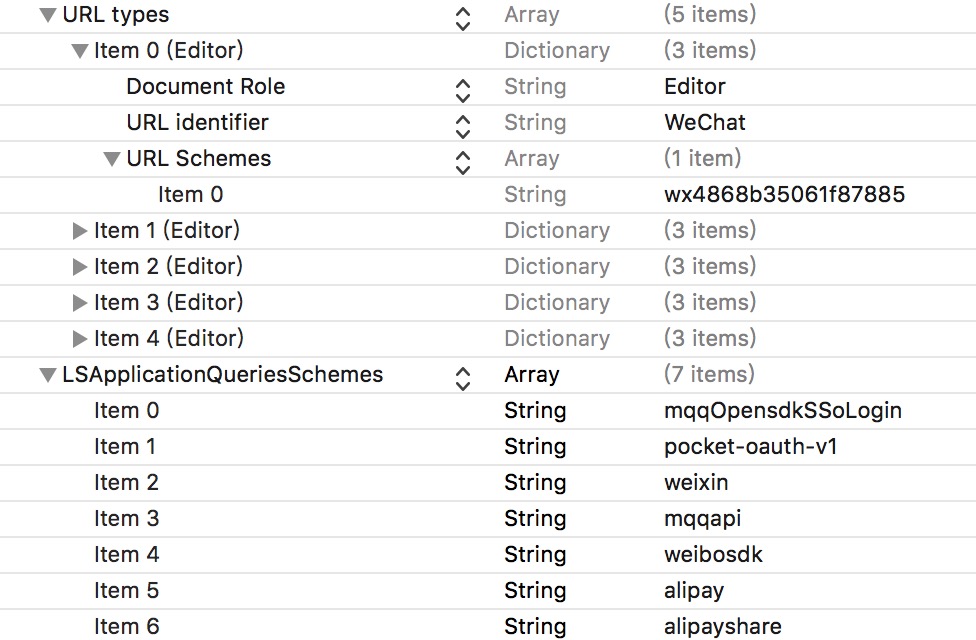
-
Register account: // it's not necessary to do it here, but for convenient
func application(_ application: UIApplication, didFinishLaunchingWithOptions launchOptions: [UIApplicationLaunchOptionsKey: Any]?) -> Bool {

    MonkeyKing.registerAccount(.weChat(appID: "xxx", appKey: "yyy", miniAppID: nil))

    return true
}
-
If you need to handle call back, add following code:
func application(_ app: UIApplication, open url: URL, options: [UIApplicationOpenURLOptionsKey : Any] = [:]) -> Bool {
//func application(_ application: UIApplication, open url: URL, sourceApplication: String?, annotation: Any) -> Bool { // only for iOS 8

    if MonkeyKing.handleOpenURL(url) {
        return true
    }

    return false
}
to your AppDelegate.
-
Prepare your message and ask MonkeyKing to deliver it:
@IBAction func shareURLToWeChatSession(sender: UIButton) {

    MonkeyKing.registerAccount(.weChat(appID: "xxx", appKey: "yyy", miniAppID: nil)) // you can do it here (just before deliver)

    let message = MonkeyKing.Message.weChat(.session(info: (
        title: "Session",
        description: "Hello Session",
        thumbnail: UIImage(named: "rabbit"),
        media: .url(URL(string: "http://www.apple.com/cn")!)
    )))

    MonkeyKing.deliver(message) { success in
        print("shareURLToWeChatSession success: \(success)")
    }
}
It's done!
OAuth
Example: Weibo OAuth
MonkeyKing.oauth(for: .weibo) { (oauthInfo, response, error) -> Void in
    print("OAuthInfo \(oauthInfo) error \(error)")
    // Now, you can use the token to fetch info.
}
or, WeChat OAuth for code only
MonkeyKing.weChatOAuthForCode { [weak self] (code, error) in
    guard let code = code else {
        return
    }
    // TODO: fetch info with code
}
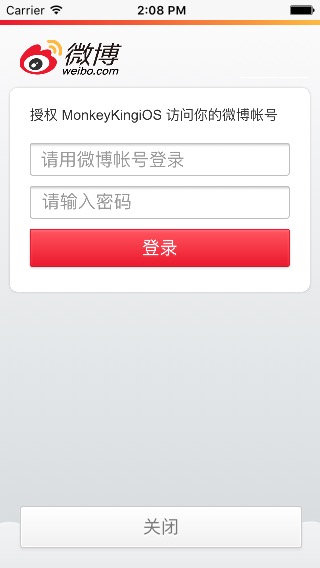
If user don't have Weibo App installed on their devices then MonkeyKing will use web OAuth:
Pay
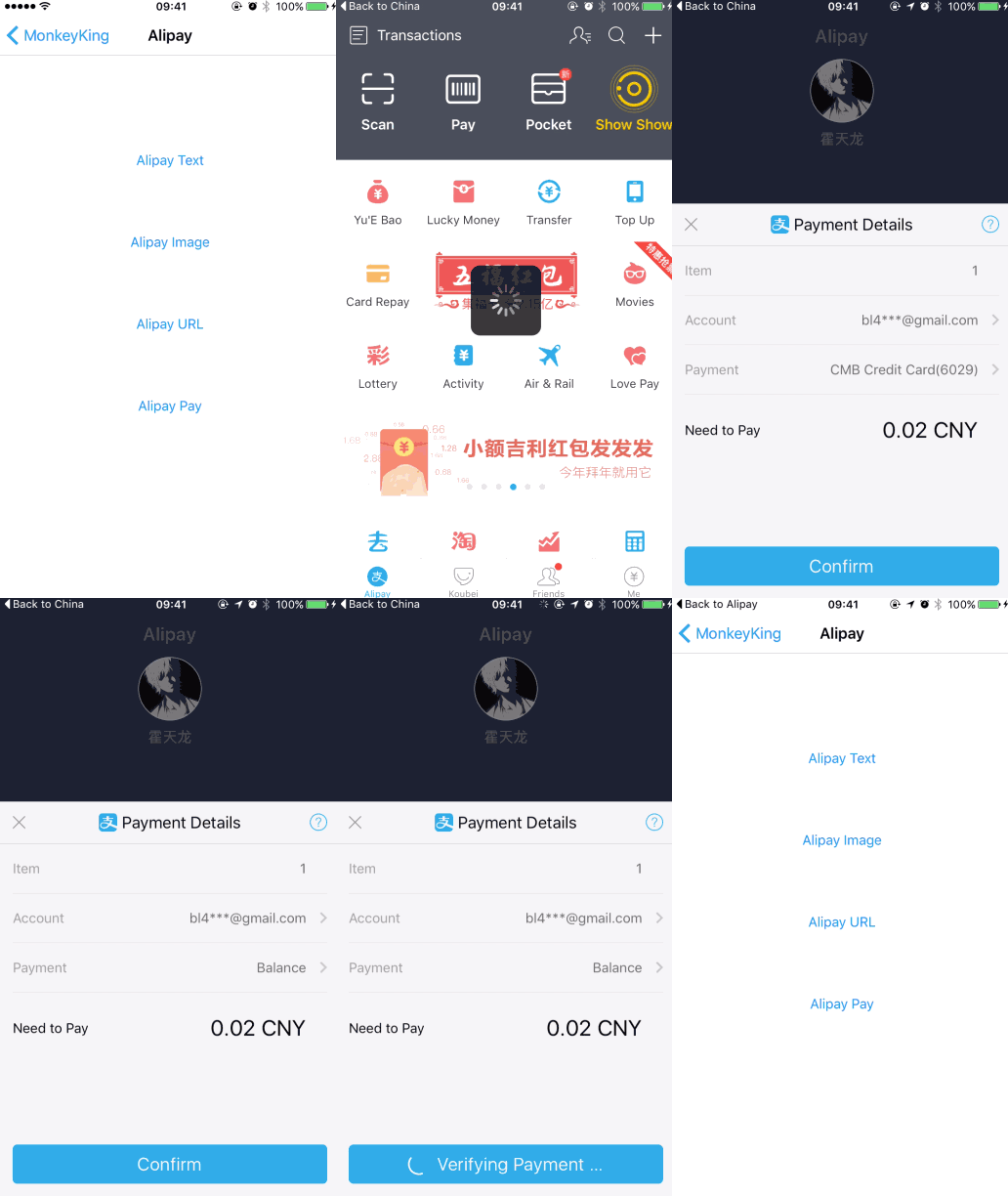
Example: Alipay
let order = MonkeyKing.Order.alipay(urlString: urlString, scheme: nil)
MonkeyKing.deliver(order) { result in
    print("result: \(result)")
}
You need to configure
pay.phpin remote server. You can find a example aboutpay.phpat Demo project.
Launch WeChat Mini App
let path = "..."
MonkeyKing.launch(.weChat(.miniApp(username: "gh_XXX", path: path, type: .release))) { result in
    switch result {
    case .success:
        break
    case .failure(let error):
        print("error:", error)
    }
}
Note that username has a gh_ prefix (原始ID).
More
If you like to use UIActivityViewController for sharing then MonkeyKing has AnyActivity which can help you.
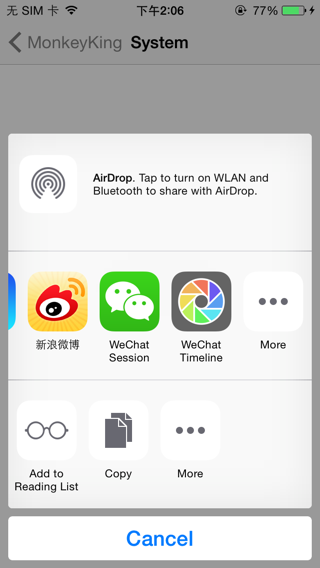
Check the demo for more information.
Reference
License
WZShare is released under an MIT license. See LICENSE for more information.