SwiftyTextView


Overview
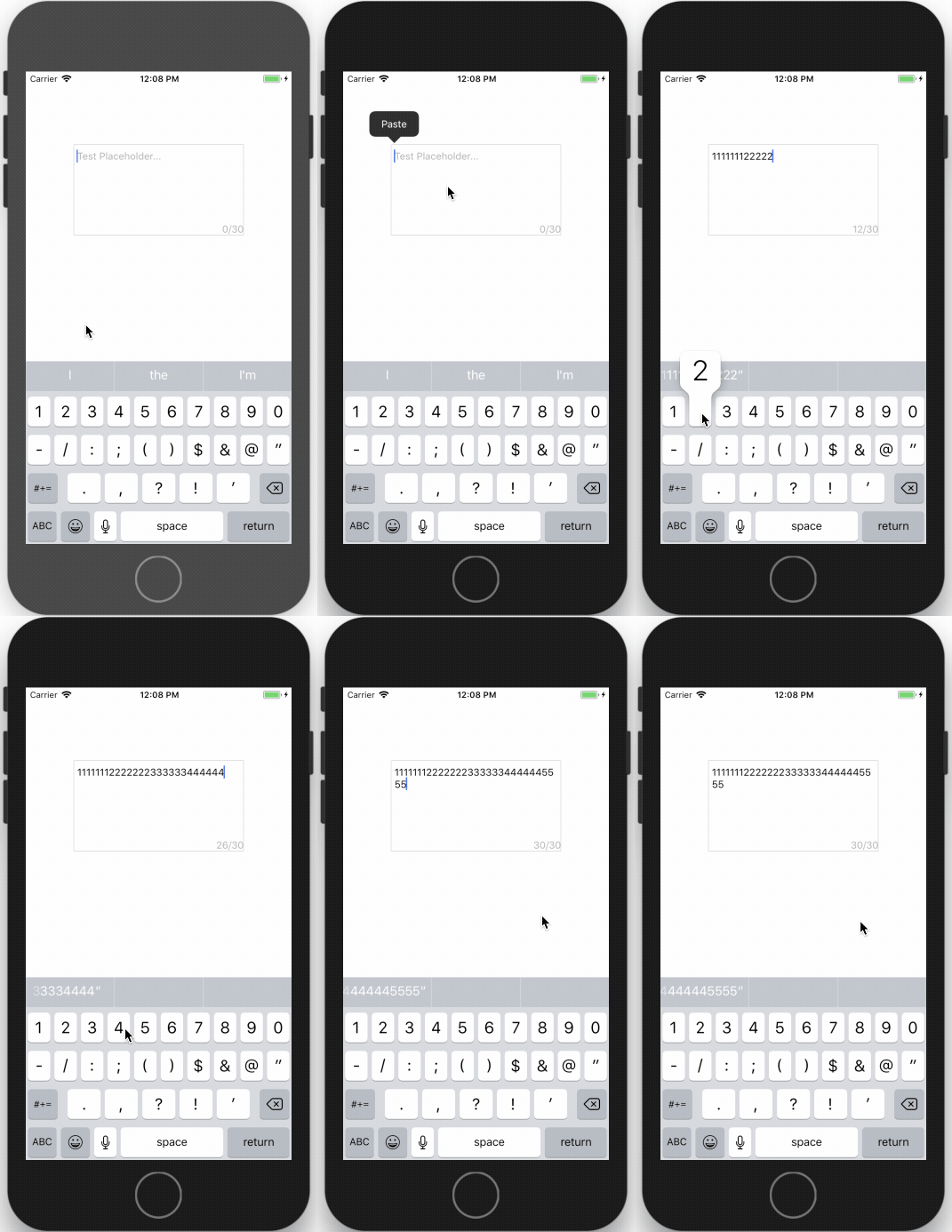
SwiftyTextView is an iOS enhanced TextView with placeholder and limit characters count support.
Installation
Cocoapods:
SwiftyTextView is available through CocoaPods. To install it, simply add the following line to your Podfile:
pod 'SwiftyTextView'Manual:
Drag 'n drop SwiftyTextView.swift into your project.
How to use
Interface Builder:
Select the UITextView you want to use and change the class to SwiftyTextView.
- Placeholder text
- Placeholder color
- Limit number of characters
- Show text count view
You can see the changes directly on the Interface Builder!
Coding:
let textView:SwiftyTextView = SwiftyTextView.init(frame: CGRect.init(x: X, y: Y, width: WIDTH, height: HEIGHT))
      textView.backgroundColor = .red
      textView.placeholder = "Please input text..."
      textView.placeholderColor = UIColor.lightGray
      textView.minNumberOfWords = 0
      textView.maxNumberOfWords = 30
      textView.showTextCountView = true
      self.view.addSubview(txtfield)
Requirements
- Swift 3.0+
- iOS 8.0+
Contact & Contribute
- Feel free to contact me with ideas or suggestions at [email protected]
- Fork the project and make your own changes
License
SwiftyTextView is available under the MIT license. See the LICENSE file for more info.