SpeechBubbleView


Usage
Create Programmatically
let speechBubble = SpeechBubbleView(frame: CGRect(x: 200, y: 200, width: 200, height: 200))
speechBubble.speechBubbleColor = .yellow
speechBubble.lineColor = .blue
speechBubble.lineWidth = 3
speechBubble.cornerRadius = 3

speechBubble.triangleType = .right
speechBubble.triangleSpacing = 10
speechBubble.triangleWidth = 10
speechBubble.triangleHeight = 10
Create in Storyboard/XIB
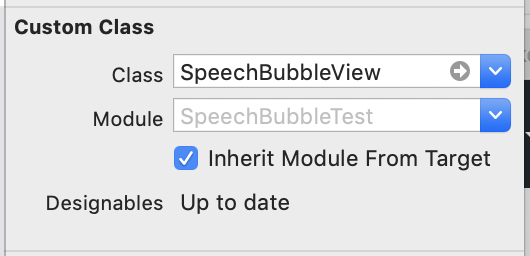
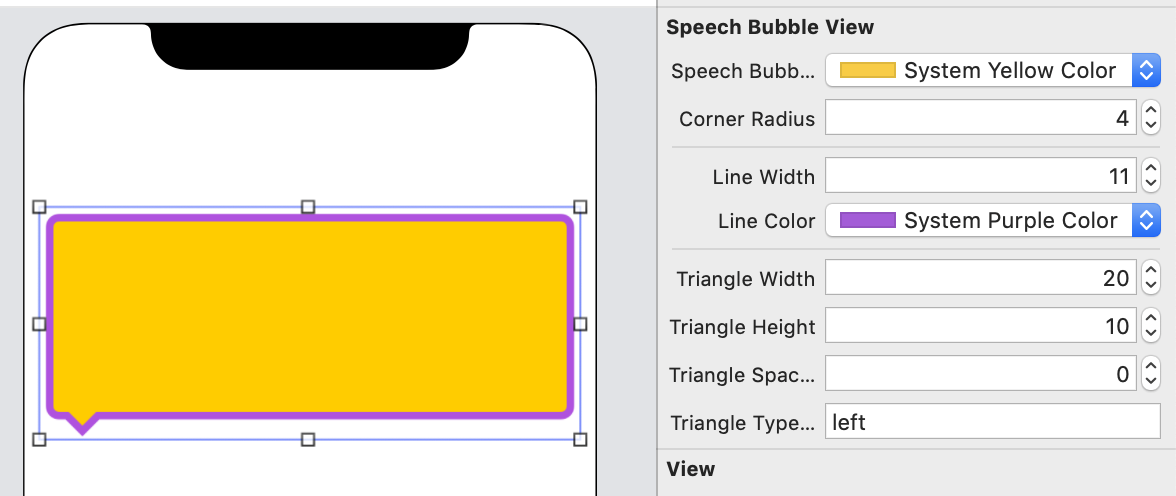
Example
To run the example project, clone the repo, and run pod install from the Example directory first.
Requirements
Installation
SpeechBubbleView is available through CocoaPods. To install it, simply add the following line to your Podfile:
pod 'SpeechBubbleView'Author
eunjin3786, [email protected]
License
SpeechBubbleView is available under the MIT license. See the LICENSE file for more info.