PGMenu


An Menu component for your awesome apps!
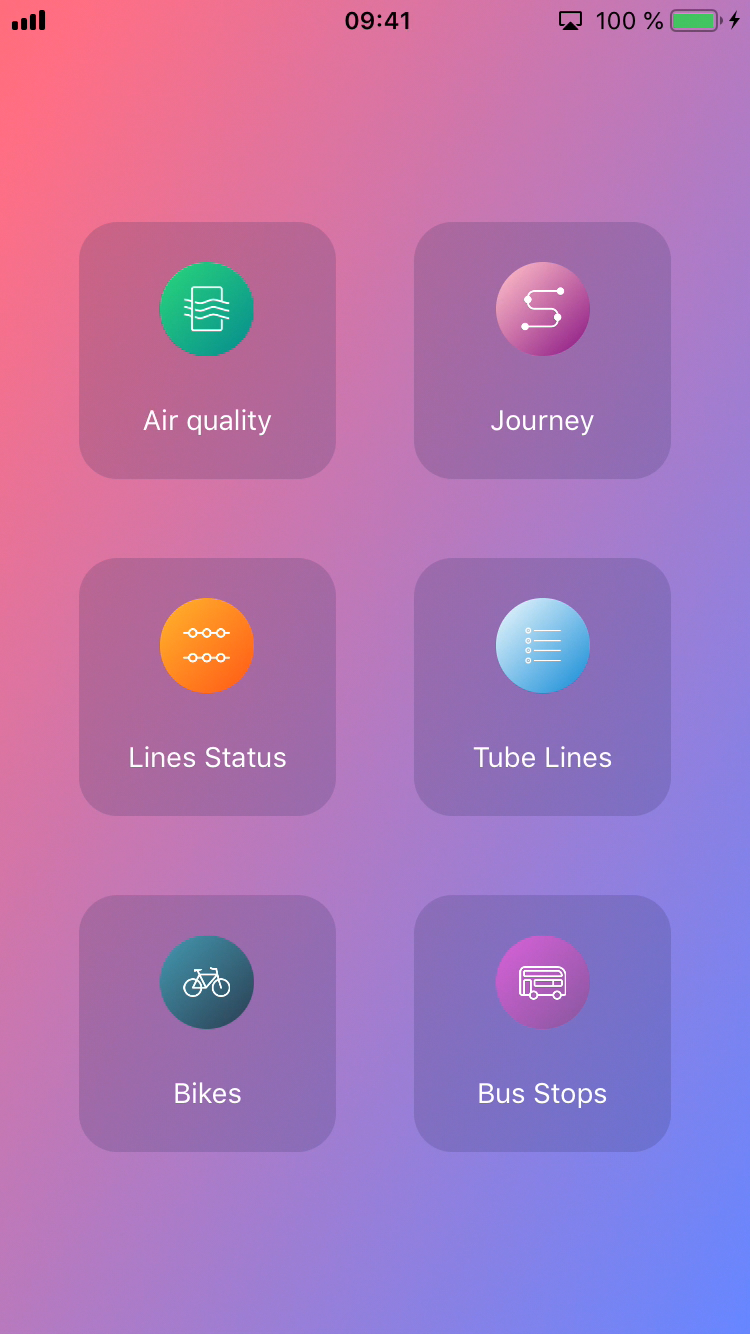
Requirements
- Swift 4.2. Should work with Swift 3.*
Example Project
You have a fully functional demo in PGMenu folder
Install
Manually
Just drag and drop Source folder in your project
Cocoapods
use_frameworks!
pod 'PGMenu'
Using PGMenu
- Create an array of ButtonConfiguration<CircleButtonParameters, Any> you can use this function:
func getButtonsParameters() -> [ButtonConfiguration<CircleButtonParameters, Any>] {

  var parameters = [ButtonConfiguration<CircleButtonParameters, Any>]()

  let airquality = getMenuItemConfiguration(imageName: "airquality",
                                            gradient: Gradient(colors: (initColor: UIColor(rgb: 0x11998e), endColor: UIColor(rgb: 0x38ef7d)),
                                            orientation: GradientOrientation.bottomRightTopLeft),
                                            textMenuItem: "Air quality")
  let journey = getMenuItemConfiguration(imageName: "journey",
                                          gradient: Gradient(colors: (initColor: UIColor(rgb: 0x800080), endColor: UIColor(rgb: 0xffc0cb)),
                                          orientation: GradientOrientation.bottomRightTopLeft), textMenuItem: "Journey")

  parameters = [airquality, journey]
  return parameters
}
- Create the StackMenu object
  let menuItems = self.getButtonsParameters()
  let stackMenu = StackMenu(frame: CGRect(x: 0, y: 0, width: self.view.frame.size.width, height: self.view.frame.size.height), configuration: menuItems)
- Set the delegate
stackMenu.delegate = self
- Implement the delegate method
  extension ViewController: StackMenuDelegate {

      @objc func stackMenu( pressedButtonAtIndex: Int) {
          print("Pressed: \(#function) index: \(pressedButtonAtIndex)")
      }
  }
- And finally, add the stackmenu to the main view
self.view.addSubview(stackMenu)
And voilá....

Support/Issues
If you have any questions, please don't hesitate to create an issue.
License
PGMenu is available under the MIT license. See the LICENSE file for more info.
If you use it, I'll be happy to know about it.