ACSegmentView


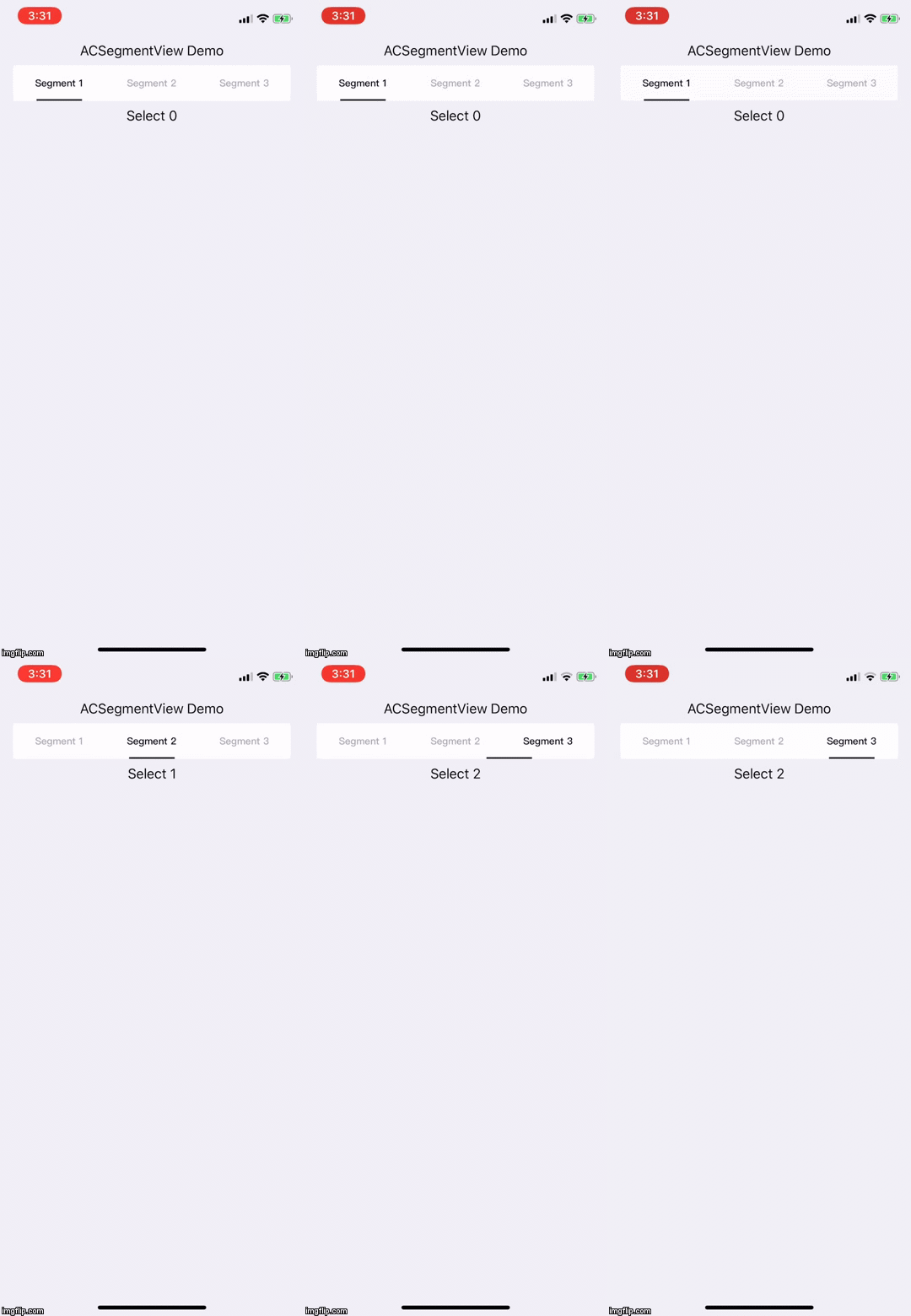
Example
To run the example project, clone the repo, and run pod install from the Example directory first.
Requirement
- Swift 4.x
- Xcode 10
- iOS 10 or above
Installation
ACSegmentView is available through CocoaPods. To install it, simply add the following line to your Podfile:
pod 'ACSegmentView', '~> 1.0.3'Dependencies
Usage
ACSegmentViewModel provides rx to subscribe with RxSwift.
We can create a ACSegmentViewModel and subscribe it to do something while user select difference index.
Here's an example, we subscribed ACSegmentViewModel.rx.selectedSegmentIndex and convert to string for UILabel.
viewModel.rx.selectedSegmentIndex.map { (index) -> String in
    return "Select \(index)"
}.bind(to: demoLabel.rx.text).disposed(by: disposeBag)
then set ACSegmentViewModel to be ACSegmentView.viewModel.
Author
Archie, [email protected]
License
ACSegmentView is available under the MIT license. See the LICENSE file for more info.