TimeZoneInlineRow 1.0.2
| TestsTested | ✗ |
| LangLanguage | SwiftSwift |
| License | MIT |
| ReleasedLast Release | Aug 2017 |
| SwiftSwift Version | 3.0 |
| SPMSupports SPM | ✗ |
Maintained by Vyacheslav Petrukhin.
TimeZoneInlineRow 1.0.2
- By
- Vyacheslav Petrukhin
Contents
- Introduction
- Usage
- Requirements
- Getting involved
- Examples
- Installation
- Customization
- LineRow parameters
Introduction
TimeZoneInlineRow is a simple time zone picker.
- Features
- Height setup
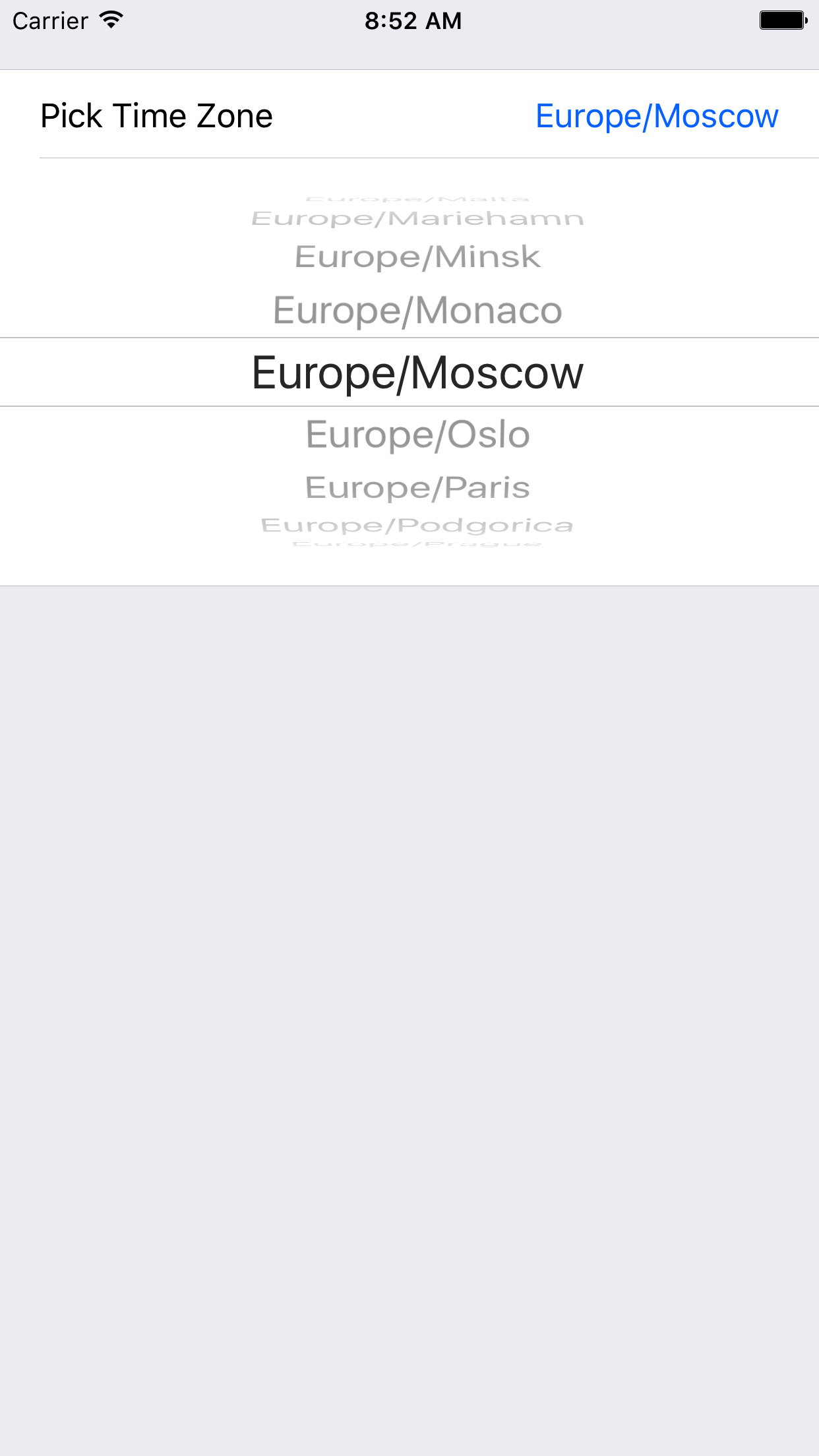
Usage
Just setup a color.
FormViewController
import TimeZoneInlineRow

class ViewController: FormViewController {

override func viewDidLoad() {
super.viewDidLoad()

form +++ Section()
<<< TimeZoneInlineRow()  {
$0.value = TimeZone.current
}
}
}
Requirements
- iOS 8.0+
- Xcode 8.3+
Getting involved
- If you want to contribute please feel free to submit pull requests.
- If you have a feature request or you found a bug please open an issue.
Before contribute check the CONTRIBUTING file for more info.
Examples
To run the example project, clone the repo, and run pod install from the Example directory first.
Installation
TimeZoneInlineRow is available through CocoaPods. To install it, simply add the following line to your Podfile:
pod "TimeZoneInlineRow"Customization
For basic styling colors initalization, use cellSetup and cellUpdate.
TimeZoneInlineRow parameters
- `var value: String = colorOfUIColorClass
-
var adHeight: Double: sets your banner height.
For instance,
you can do this in any FormViewController class:
<<< TimeZoneInlineRow() {
$0.value = TimeZone.current
}
Author
License
TimeZoneInlineRow is available under the MIT license. See the LICENSE file for more info.